#AI #Privacy #Success
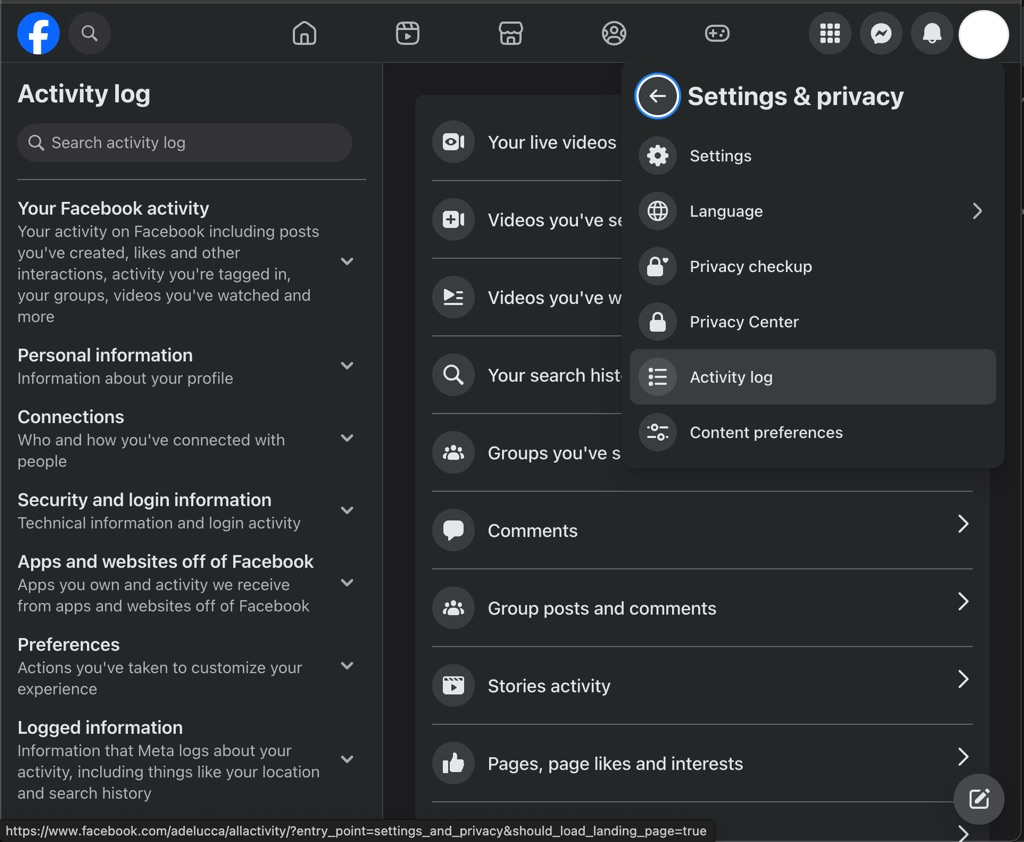
Facebook allows you to delete your comments in bulk, but you need to load them by hand, one scroll at a time, on a page with lazy loading.
Settings > Activity Log
 Once loaded, select and delete.
Btw - Every scroll loaded ~25 comments, and I found that FB server starts acting up if you attempt to delete more than 1K comments in a single action.
Chatted with AI to create a script to automate this lazy loading, and after some iterations and fiddling, this is the final version -
let scrollCount = 0; // Initialize a counter
const maxScrolls = 10; // Set the maximum number of scrolls

let scrollInterval = setInterval(() => {
    window.scrollBy(0, 3 * window.innerHeight); // Scroll down by three viewport heights

    scrollCount++; // Increment the counter
    console.log(`Execution number: ${scrollCount}`); // Log the current execution number

    // Check if we have reached the maximum number of scrolls
    if (scrollCount >= maxScrolls) {
        clearInterval(scrollInterval); // Stop the scrolling
        console.log('Scrolling stopped after reaching the maximum limit.');
    }

    // Check if we have reached the bottom of the page
    if ((window.innerHeight + window.scrollY) >= document.body.scrollHeight) {
        // Add a pause to allow content to load
        setTimeout(() => {
            if ((window.innerHeight + window.scrollY) >= document.body.scrollHeight) {
                clearInterval(scrollInterval); // Stop if no more content
                console.log('Scrolling stopped because we reached the bottom.');
            }
        }, 4000); // Delay to allow content loading
    }
}, 4000); // Adjust the interval time (in milliseconds) as needed
Description of the Final Version#
This script automates the scrolling of a webpage with infinite scroll functionality. It is designed to enhance user experience by loading additional content seamlessly without manual intervention. Here’s a breakdown of its features:
Key Features:
- Scrolling Mechanism:
- The script scrolls down the page by three viewport heights (3 * window.innerHeight) in each interval, ensuring that a significant amount of content is loaded at once.
- Execution Counter:
- A counter (scrollCount) tracks how many times the scroll action has been executed. Each time the page scrolls down, this count increments by one, and the current execution number is logged to the console. This provides real-time feedback on the script's activity.
- Maximum Scroll Limit:
- A predefined maximum scroll limit (maxScrolls) is set to control how many times the scrolling action can occur. Once the specified limit is reached, the script automatically stops executing, helping to prevent unnecessary resource usage.
- Pausing for Content Loading:
- The script includes logic to check if the bottom of the page has been reached. When this occurs, a temporary pause (setTimeout) of 4 seconds allows for any new content to load before checking again. This ensures that additional data is available for scrolling.
- Stopping Conditions:
- The scrolling stops either when the execution count reaches the maximum limit or when no more content is available on the page. Console messages inform the user of the reason for stopping, enhancing transparency.
Now my most recent FB comment is from 2011 :P