| name | value | description |
| title | Default: collection name | Set custom collection title that is different from the folder name. |
| showChildren | yes/no (Default: yes) | If set to “no” it will disable rendering of links to the notes and folders inside this collection. |
| sortBy | title/update/create (Default: create) | Sort notes by create date, updated date or title. |
| RTL | yes/no (Default: no) | If set to “yes”, the text in all the notes in this folder will go right to left. |
| showBreadcrumbs | yes/no (Default: no) | Show folder name before the Note title. |
| showInMenu | yes/no (Default: yes) | Show folder in the main list/menu. |
| showNoteNavigation | yes/no (Default: no) | Show links to the previous and next notes. |
| showNoteFooter | yes/no (Default: yes) | Show global footer on each Note's page. |
| showNoteMetadata | yes/no (Default: no) | Show metadata on Note's page. |
| dateFormat | Default: MMM D, YYYY | Format of dates on the preview pages. |
| fontFamily | Default: helvetica | Other values "sans-serif", "avenir", "athelas", "georgia", "times", "bodoni", "calisto", "garamond", "baskerville" |
| fontSize | Default: 16px | Any value. |
| backgroundColor | Default: white | Use hex code. |
| textColor | Default: black | Use hex code. |
| titleColor | Default: black | Use hex code. |
| listItemTitleColor | Default: black | Use hex code. |
| openExternalLinksInNewTab | Default: no | If set to "yes" will force all external links to be opened in new tab. |
| layout | List, feed, grid, table(Default: timeline) | Layout option that dictates how notes should be shown on the folder/collection page. By default they are show as a list. |
| hideFooterLinks | Default: no | Hide all the links in footer. |
| hideHeader | Default: no | Hide the header of the page. |
| linksUnderlined | Default: no | Underline links. |
| resetHeaderStyle | Default: no | Use it to remove special formatting for titles and breadcrumbs. |
| resetBoxStyle | Default: no | Use it to reset styles for next/prev post boxes and newsletter subscribe box. |
| newsletterSubscribeButton | Default: Subscribe | Customize subscribe button text. |
| newsletterSubscribeCallToAction | Default: Sign up for newsletter | Customize subscribe input text. |
| noteNavigationStyle | Default: none | If you set "showNoteNavigation" to 'yes' navigation will be shown as boxes at the bottom of the page. If you set it to "arrow" - it will show up as two arrows at the top. |
| width | Default: none | If you want layout to spread and take 100% of the page set it to "wide". |
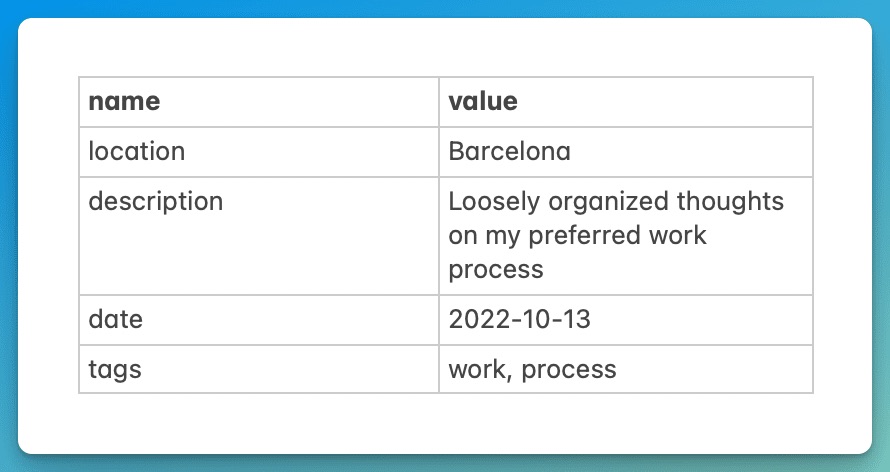 There are several optional metadata properties that you can specify: