Quicker note capturing
I use the Back Tap Accessibility feature to let me open up a quick note or start a voice recording, transcribe it, and dump the text and audio into a new note. First, I created my Transcribe Shortcut. Here’s what it does: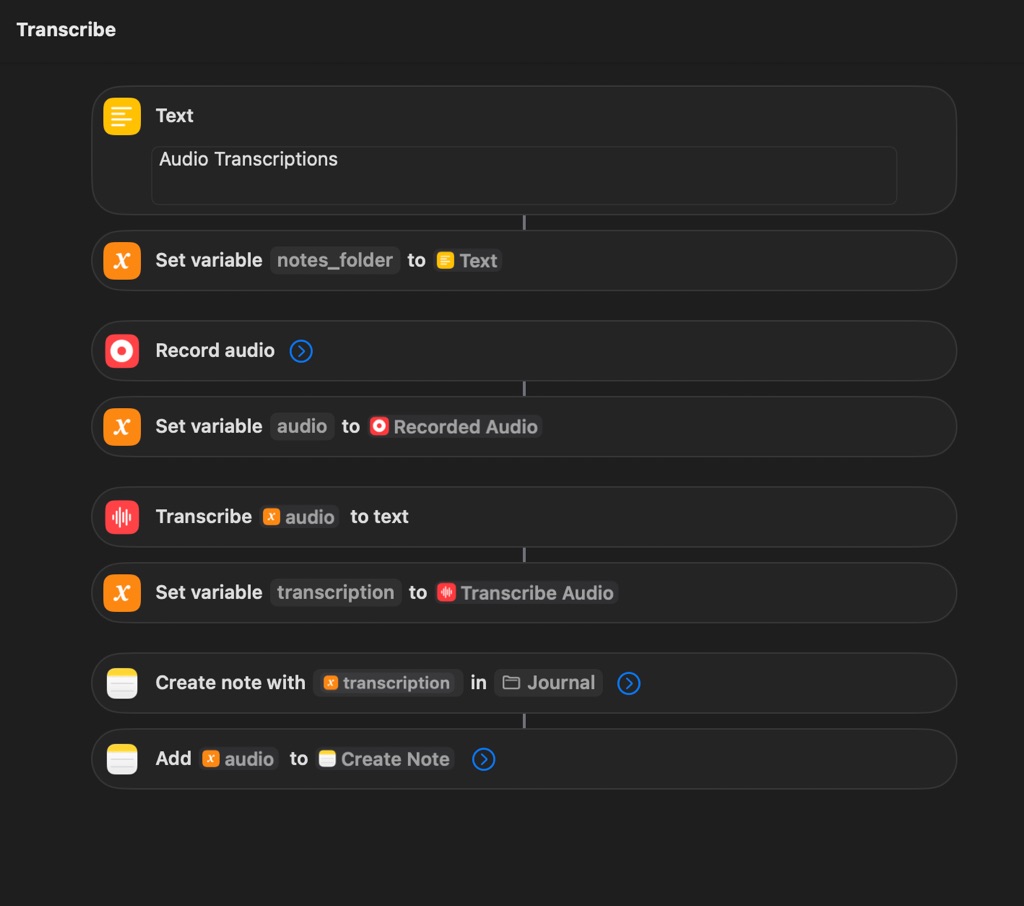 Transcribe Shortcut
Next, go to Settings > Accessibility > Touch and scroll down to turn on Back Tap.
I have my Double Tap set to show a Quick Note and my Triple Tap set to launch the Transcribe Shortcut.
It might only save me a few clicks, but the fewer menus I have to go through or things I have to tap, the more likely I am to actually remember what I needed to capture.
Gotta say, you have to REALLY tap the back of the phone pretty sharply. Good for not accidentally taking a voice memo, can be annoying if I'm not tapping hard enough. Works through Apple Wallet.
Better Recommendations
Friends tell me about books and movies I should check out and I constantly forget:- What the actual name of the thing was
- Who recommended it
- Why I should check it out
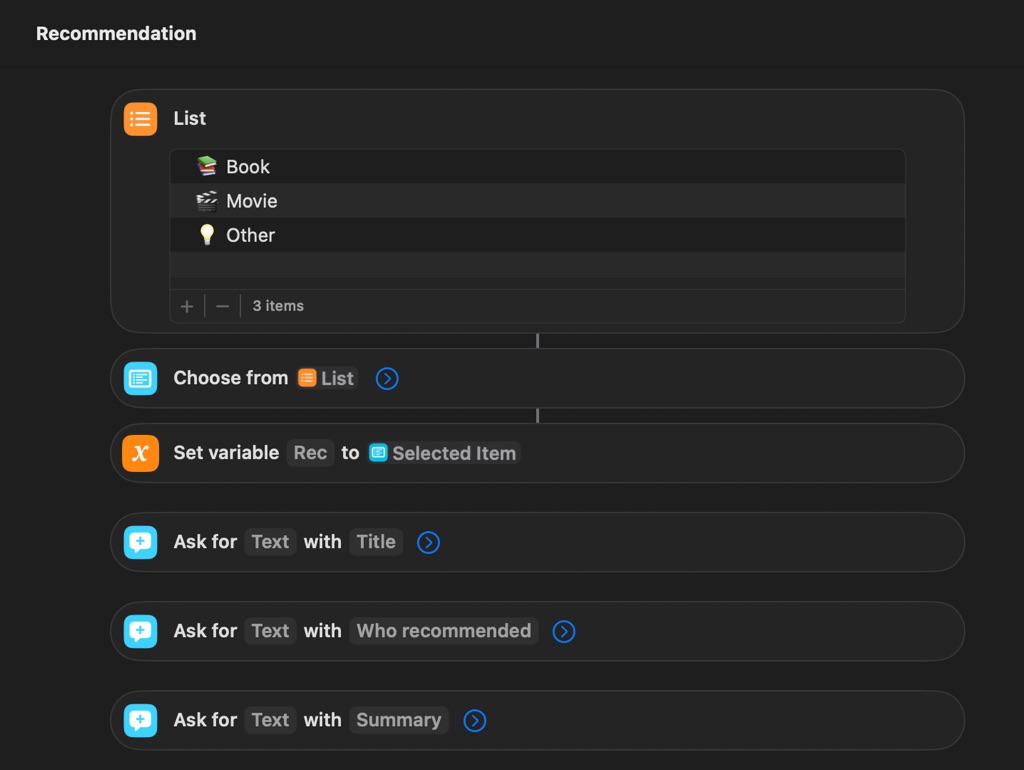
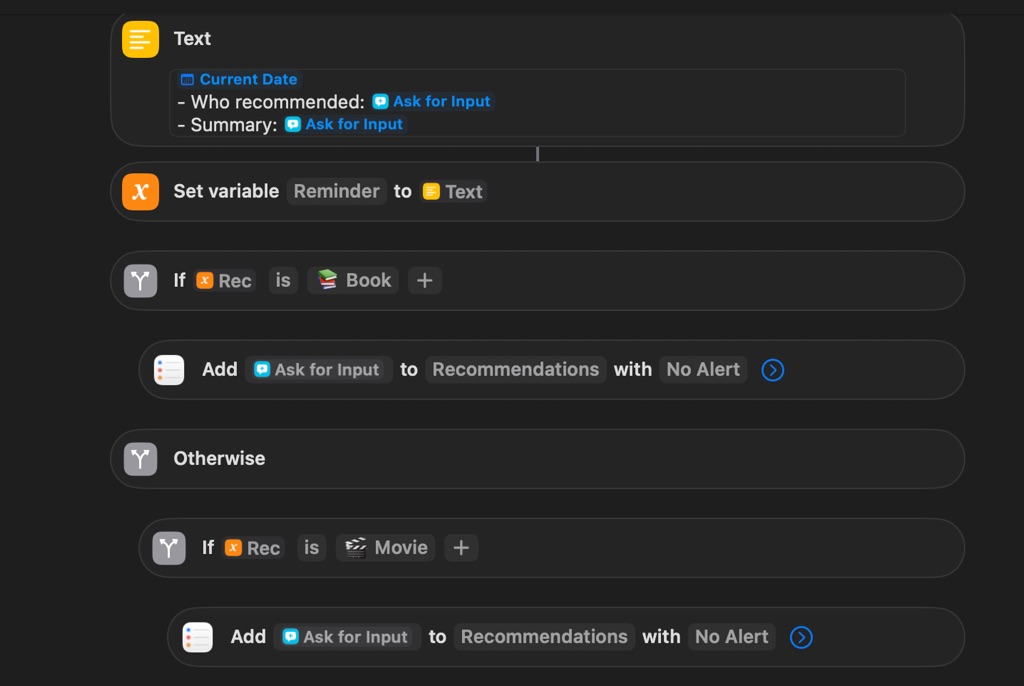
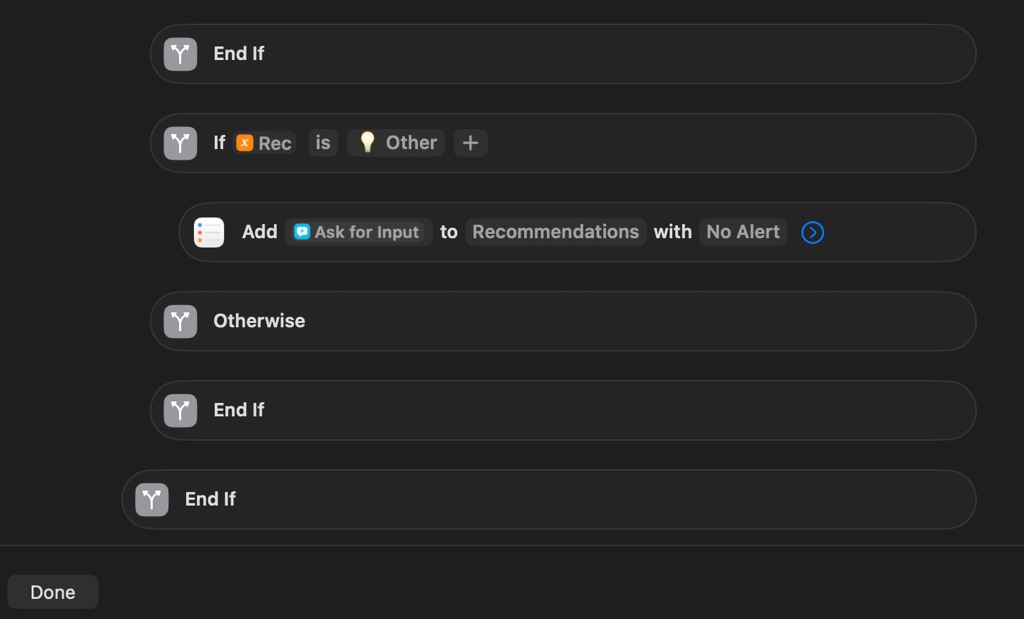 I have this saved as an icon on my Home Screen and when I tap it, I get a prompt that asks:
- Is this a book, movie, or other?
- What’s the title?
- Who recommended it?
- Summary - why they recommended it or a synopsis of the plot
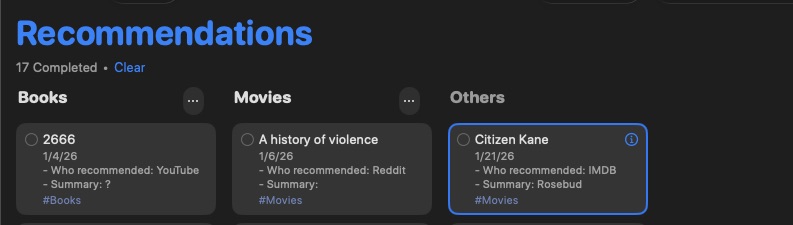 From there, I can sort it into the relevant column (Books/Movies/Other) based on the tag.
Recommendations Shortcut
- Rae